
Advanced Excel
Take Excel to an advanced level. Participants use advanced lookups, database functions and Power Query to clean and transform data, model data with Power Pivot and DAX, build dashboards and apply financial modelling functions.
At a glance
- 4 days
Who it's for
- Intermediate Excel users
- Business analysts, finance & data staff
- Project managers & decision makers
- Business owners
Learning objectives
- Use advanced lookup functions (XLOOKUP, INDEX/MATCH, OFFSET)
- Analyse large datasets with database functions
- Clean and transform data with Power Query
- Model data with Power Pivot and write DAX measures
- Build dashboards
- Apply financial modelling, TVM and capital budgeting
- Run what-if analysis with Scenario Manager and Data Tables
Detailed content
- XLOOKUP & dynamic arrays (FILTER, UNIQUE, SORT)
- INDEX/MATCH, OFFSET
- Database functions
- Data cleaning & preparation
- Column transformations
- Shaping & grouping
- Append & merge queries
- Custom columns
- Data modelling & relationships
- Introduction to DAX
- Data stories with dashboards
- Introduction to financial modelling
- Scenario Manager & Data Tables
- Time value of money
- Capital budgeting (NPV, IRR, payback)
Day-by-day agenda
A typical schedule. In-company versions are tailored to your processes, data and timing.
- Advanced Lookups
- Power Query
- Power Pivot & DAX
- Dashboards
- Financial Modelling
- Case study, action plans and course assessment
Practice, tools and assessment
Hands-on practice
- Analyse a real set of financial statements with ratios
- Build a budget and variance report in Excel
- Case study: decision using cost-volume-profit and NPV
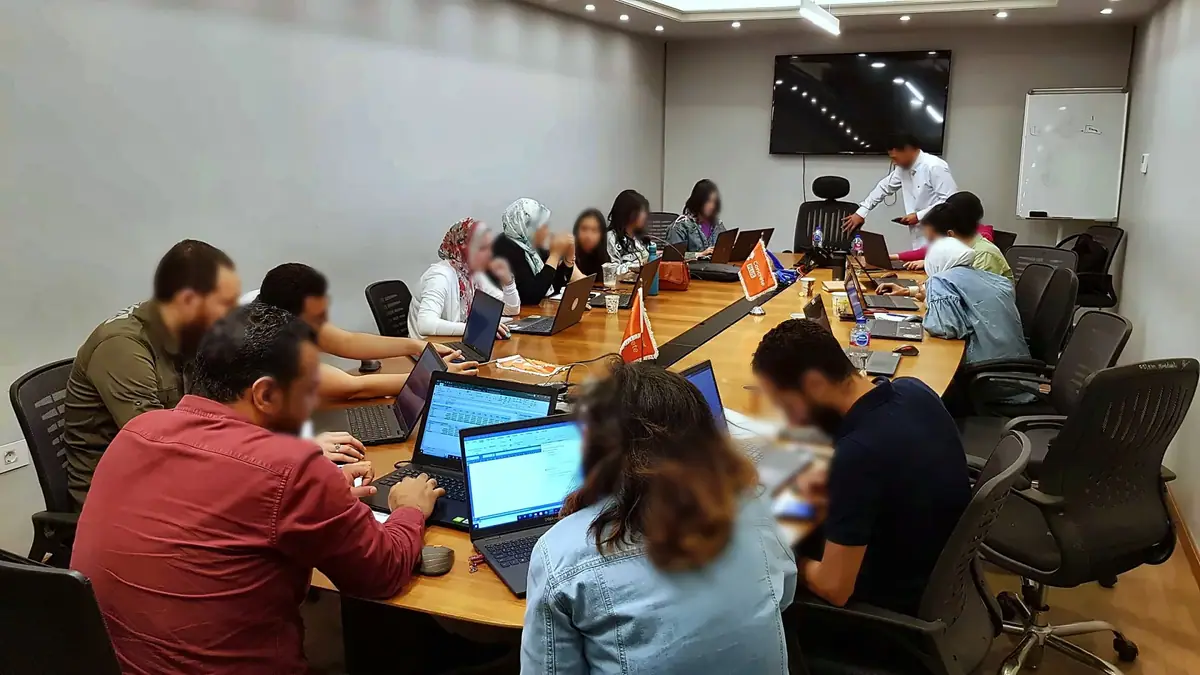
- Hands-on lab on your laptop with a real business data set
Tools and templates you keep
- Ratio-analysis and budgeting workbook
- NPV/IRR and break-even calculators
- Practice files and solution workbooks
- Formula, DAX and shortcut cheat sheets
How learning is assessed
- Pre- and post-course knowledge check
- Assessment of practical exercises by the trainer
- Action plan reviewed at the end of the course
Built on these standards and bodies of knowledge
- IFRS Accounting Standards (IASB)
- COSO Internal Control and ERM frameworks
- Basel III/IV (banking risk)
How it is delivered
- Public courses in Cairo, in-company programs and live online training
- Practical exercises, case studies and examples from your sector
- Can also run as Train & Stay in Sharm El Sheikh, Hurghada or Cairo
Part of these career paths
- Data Analytics & Digital Tools · Practitioner
Frequently asked questions
How long is Advanced Excel?
The program runs 4 days. In-company versions can be adapted to your needs.
Is the course taught in Arabic or English?
Sessions are usually delivered in Arabic with English technical terms and materials. Full English delivery is available for in-company groups.
Can you run it inside our company?
Yes. In-company programs use exercises built on your own processes. Tell us the group size and preferred timing and we will send a proposal.
Will I receive a certificate?
Participants who complete the program and its assessment receive a certificate from The Excellence Center, which can be verified online.
More programs in this field
- Generative AI for ProfessionalsNew
- Advanced Analytics for Business Excellence5 days
- Business Intelligence5 days
- Data Analysis for Digital Marketing5 days
- Data Analysis Professional Program (Excel, Power BI, SQL & Python)10 days
- Data Analysis Using Excel4 days
- Data Analysis Using Excel & Power BI5–6 days
- Data Analysis Using Microsoft Power BI3 days
- Excel for Beginners3 days
Get dates, fees and the full outline.
Tell us whether you are joining as an individual or planning a program for your team.